
.png)
Description
Download AutoText – AI‑Powered Social Media Marketing Tool for Seamless Content Creation
Overview
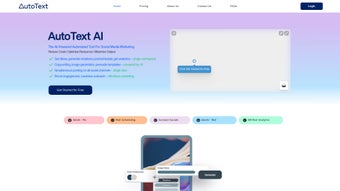
AutoText is an AI‑driven web application that revolutionizes the way businesses handle social media marketing. Built on a foundation of machine‑learning algorithms, AutoText automates the entire content lifecycle—from ideation and creation to publishing, management, and performance analysis. By removing the repetitive, time‑consuming tasks that traditionally dominate a marketer’s day, AutoText frees up valuable hours for strategic planning and creative thinking. The platform excels at generating a broad spectrum of content types, including product descriptions, blog posts, captions, and ad copy, each optimized for search engines and tailored to audience preferences. Its analytics engine provides actionable insights, helping marketers understand what resonates, where improvements are needed, and how to allocate budgets more efficiently. Whether you’re a small startup looking to boost brand visibility or an established enterprise seeking to streamline large‑scale campaigns, AutoText offers a comprehensive, subscription‑based solution that makes digital marketing more effective, economical, and data‑driven.
Key Features and AI‑Powered Benefits
- Automated Content Generation: Leverages natural‑language processing to produce SEO‑friendly posts, product descriptions, and blog articles in seconds.
- Multi‑Platform Scheduling: One‑click publishing to major networks such as Facebook, Instagram, Twitter, LinkedIn, and TikTok.
- Smart Calendar & Queue Management: Drag‑and‑drop calendar that auto‑optimizes posting times based on audience activity patterns.
- AI‑Enhanced Analytics: Real‑time dashboards that break down engagement, reach, click‑through rates, and conversion metrics using predictive modeling.
- Brand Voice Consistency: Customizable tone settings ensure every piece of content aligns with your brand personality.
- Bulk Content Import & Export: Supports CSV, JSON, and API integrations for seamless migration from existing tools.
- Security & Compliance: End‑to‑end encryption, GDPR‑ready data handling, and role‑based access controls for team collaboration.
- Continuous Updates: Monthly AI model enhancements and new template releases keep the tool ahead of market trends.
The combination of these features makes AutoText a true end‑to‑end solution for modern marketers. The AI engine not only writes copy but also suggests hashtags, optimal image dimensions, and even predicts the best call‑to‑action based on historical performance. By integrating directly with analytics platforms such as Google Analytics and HubSpot, AutoText creates a unified view of campaign health, enabling data‑driven decisions without the need for multiple dashboards. The platform’s flexibility extends to agencies that manage several client accounts, offering white‑label options and custom reporting that can be branded to match agency identity. In short, AutoText transforms the labor‑intensive aspects of social media into a smooth, automated workflow, allowing teams to focus on creativity, strategy, and growth.
Installation, Usage Instructions, and Compatibility
Getting started with AutoText is designed to be frictionless. As a cloud‑based SaaS solution, there is no software to download or install on local machines. Users simply sign up on the official website, choose a subscription tier, and gain immediate access to the dashboard through any modern web browser. The onboarding wizard guides new users through a step‑by‑step setup:
- Create an Account: Register with an email address or use single‑sign‑on (SSO) via Google or Microsoft Azure AD.
- Connect Social Profiles: Authorize AutoText to access your Facebook, Instagram, Twitter, LinkedIn, and TikTok accounts using OAuth tokens.
- Define Brand Parameters: Input your brand voice, preferred language, target keywords, and visual style guidelines.
- Set Up Content Calendars: Drag existing campaigns into the calendar or let AutoText auto‑populate slots based on optimal posting times.
- Generate and Review Content: Use the AI generator to produce drafts, edit directly in the built‑in rich‑text editor, and schedule for publishing.
Because AutoText runs entirely in the cloud, it is compatible with any operating system that supports a recent version of Chrome, Edge, Firefox, or Safari. This includes Windows 10/11, macOS Monterey and later, as well as Linux distributions. For mobile users, a responsive web interface ensures full functionality on Android 11+ and iOS 14+. The platform also offers native iOS and Android companion apps for on‑the‑go monitoring, though full content creation remains best experienced on a desktop environment.
Supported operating systems: Windows, macOS, Linux, Android, iOS (via web browser or companion app).
After initial configuration, AutoText provides a suite of tutorials, video guides, and a knowledge base that cover advanced topics such as API integration, bulk upload workflows, and custom analytics reporting. Customer support is available 24/7 via live chat, email, and a dedicated account manager for enterprise plans. Regular webinars and community forums keep users up‑to‑date with new features, best practices, and industry trends.
Pros, Cons, and Frequently Asked Questions
Pros
- Significant time savings—up to 70 % reduction in manual content creation.
- AI‑generated copy is SEO‑optimized and brand‑consistent.
- All‑in‑one dashboard eliminates the need for multiple tools.
- Robust analytics with predictive insights help improve ROI.
- Secure, GDPR‑compliant infrastructure protects sensitive data.
- Scalable pricing suitable for freelancers to large agencies.
Cons
- Reliance on internet connectivity; no offline mode.
- AI output may require human editing for highly technical topics.
- Advanced features (e.g., white‑labeling) are locked behind higher‑tier plans.
- Learning curve for teams unfamiliar with AI‑driven workflows.
Frequently Asked Questions
Can AutoText generate content in languages other than English?
Yes. AutoText supports over 20 languages, including Spanish, French, German, Japanese, and Mandarin. The AI model adjusts tone and keyword relevance based on the selected language, ensuring localized SEO performance.
Is there a free trial or demo available?
AutoText offers a 14‑day free trial with full access to all core features. No credit card is required, and you can cancel anytime during the trial period.
How does AutoText handle data privacy and GDPR compliance?
All data is encrypted in transit and at rest. AutoText provides data‑processing agreements, the ability to delete user data on request, and adheres to GDPR, CCPA, and other major privacy regulations.
Can I integrate AutoText with my existing CRM or marketing stack?
Yes. AutoText offers RESTful APIs, Zapier connectors, and native integrations with HubSpot, Salesforce, and Mailchimp, allowing seamless data flow between systems.
What support options are available for enterprise customers?
Enterprise plans include a dedicated account manager, priority 24/7 support, SLA‑backed response times, and custom onboarding workshops.
Conclusion – Is AutoText the Right Choice for Your Social Media Strategy?
In a digital landscape where speed, relevance, and data‑driven decisions are paramount, AutoText stands out as a robust, AI‑powered ally for marketers. Its ability to produce SEO‑optimized content at scale, coupled with an intuitive publishing calendar and powerful analytics, addresses the most pressing pain points of social media management. While the platform does require a stable internet connection and may need occasional human fine‑tuning for niche topics, the overall efficiency gains far outweigh these minor limitations. Whether you’re a solo entrepreneur looking to automate daily posts or an agency managing dozens of client accounts, AutoText’s tiered pricing and extensive integration options make it adaptable to a wide range of budgets and workflows.
If you’re ready to cut down on manual drafting, improve engagement metrics, and gain clearer insight into campaign performance, download AutoText today and start your free trial. Experience firsthand how AI can transform your social media marketing from a time‑consuming chore into a strategic growth engine.
Guides & Tutorials for AutoText
How to install AutoText
- Click the Preview / Download button above.
- Once redirected, accept the terms and click Install.
- Wait for the AutoText download to finish on your device.
How to use AutoText
This software is primarily used for its core features described above. Open the app after installation to explore its capabilities.
User Reviews for AutoText 0
No reviews found




